

Prerequisites
- Cargo installed
- Basic Rust knowledge
- GitHub account
- Qovery account
Twitter Clone Project
API Design
We’ll create a miniature Twitter API with these endpoints: Route: /tweetsGET: Retrieve last 50 tweetsPOST: Create new tweet
GET: Fetch tweet by identifierDELETE: Remove tweet by identifier
GET: Retrieve all likes for a tweetPOST: Increment like counterDELETE: Decrement like counter
Implementation
Framework: Actix Web
We’re using Actix, ranked as one of the most performant frameworks by Techempower.Application Structure
The implementation uses three primary files:- main.rs - HTTP request routing
- tweet.rs - /tweets endpoint handling
- like.rs - /tweets/:id/likes endpoint handling
Main Application Setup
Route Definitions
Routes use attribute macros for clean path binding:PostgreSQL Integration
Diesel ORM
Diesel serves as the primary ORM for PostgreSQL connectivity.Database Schema
Connection Pool Setup
Local Testing
Test your API endpoints locally:Deploy to Qovery
1
Create Project
Sign in to Qovery web console and create a new project.
2
Create Environment
Establish a new environment within your project.
3
Register Application
Link your GitHub repository: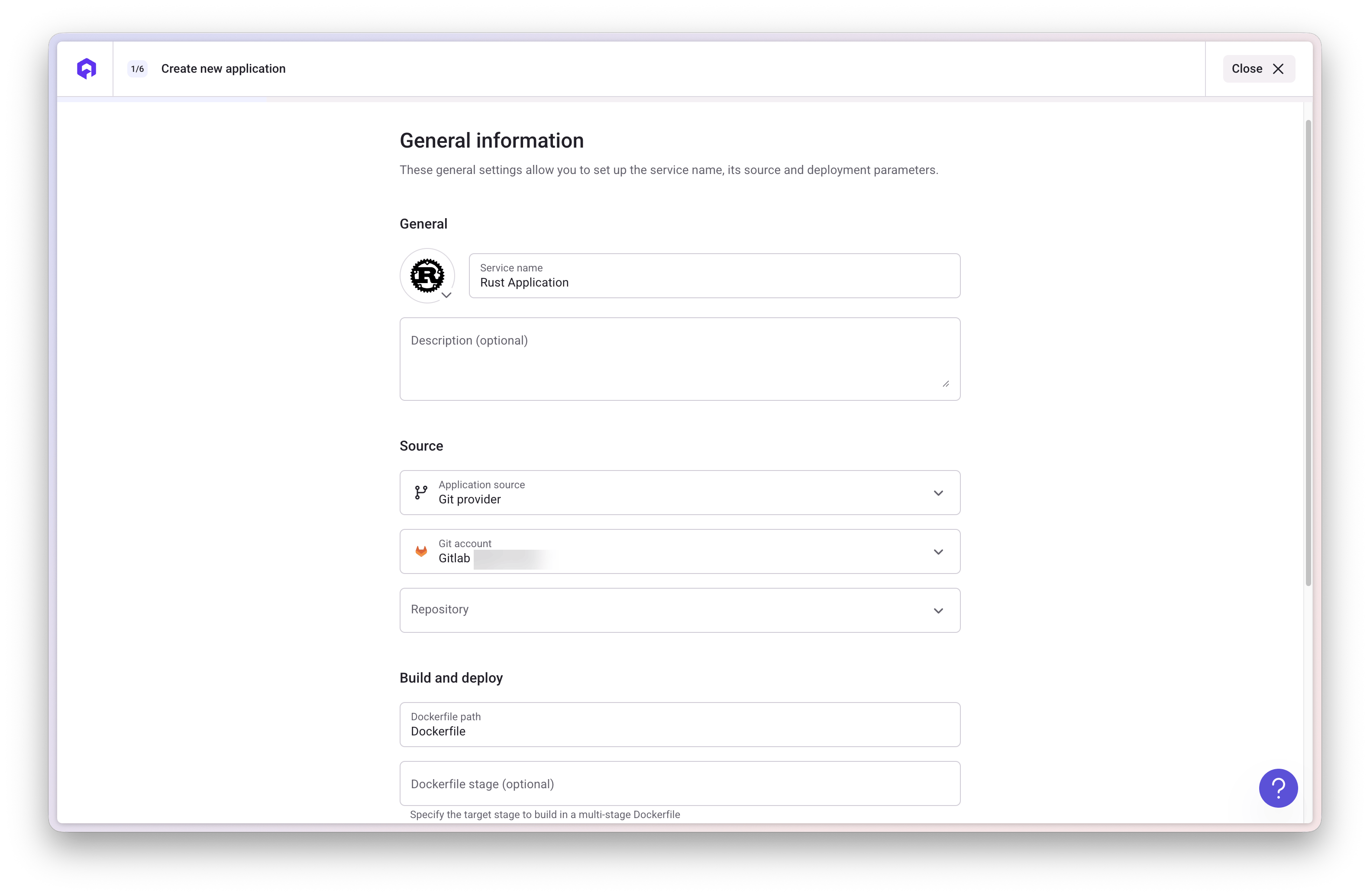
- Repository:
https://github.com/evoxmusic/twitter-clone-rust - Branch:
master
4
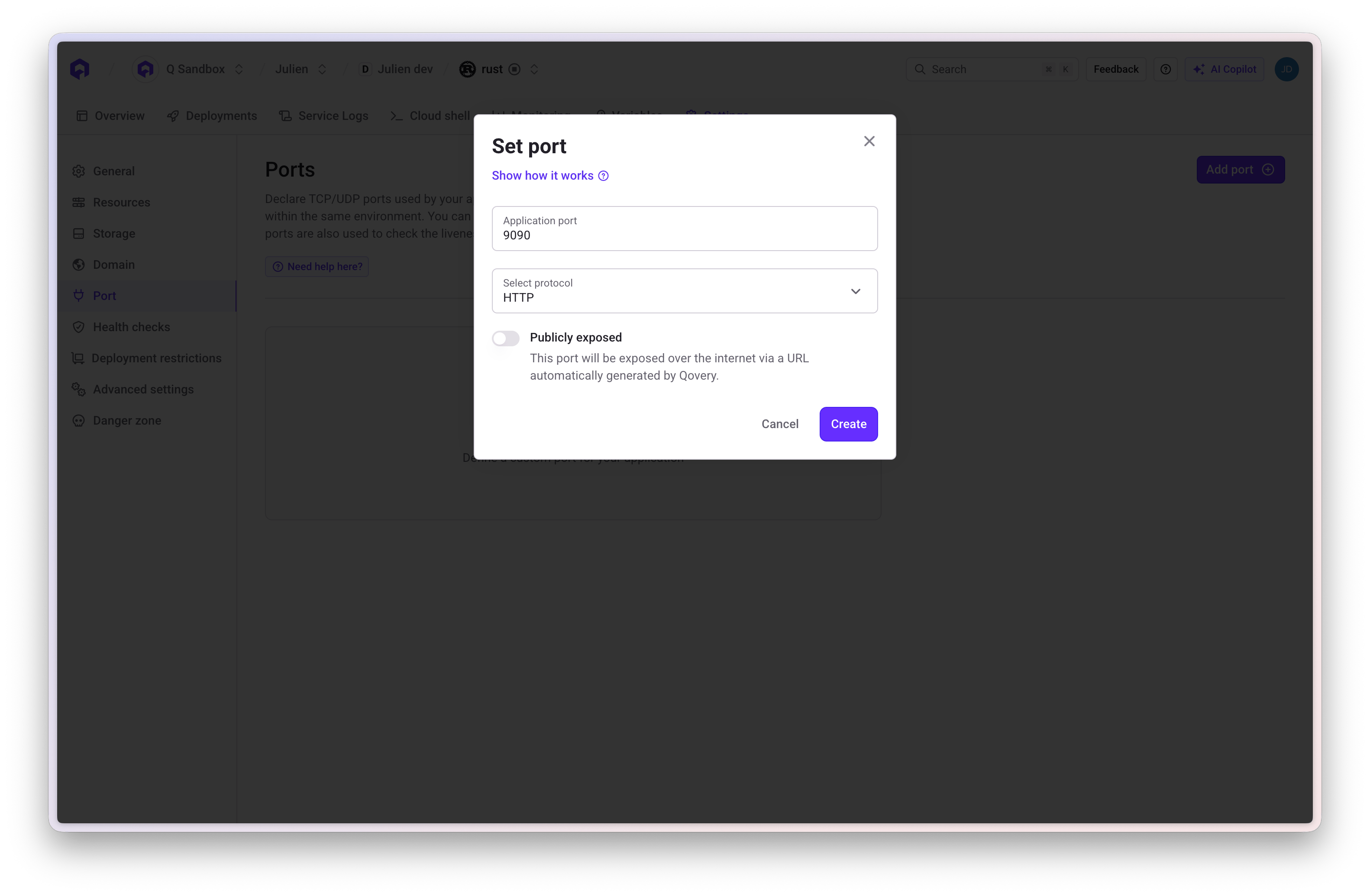
Configure Port
- Navigate to application settings
- Select Ports section
- Add port
9090
5
Deploy PostgreSQL
Create a PostgreSQL database named
my-pql-db following the database guide.6
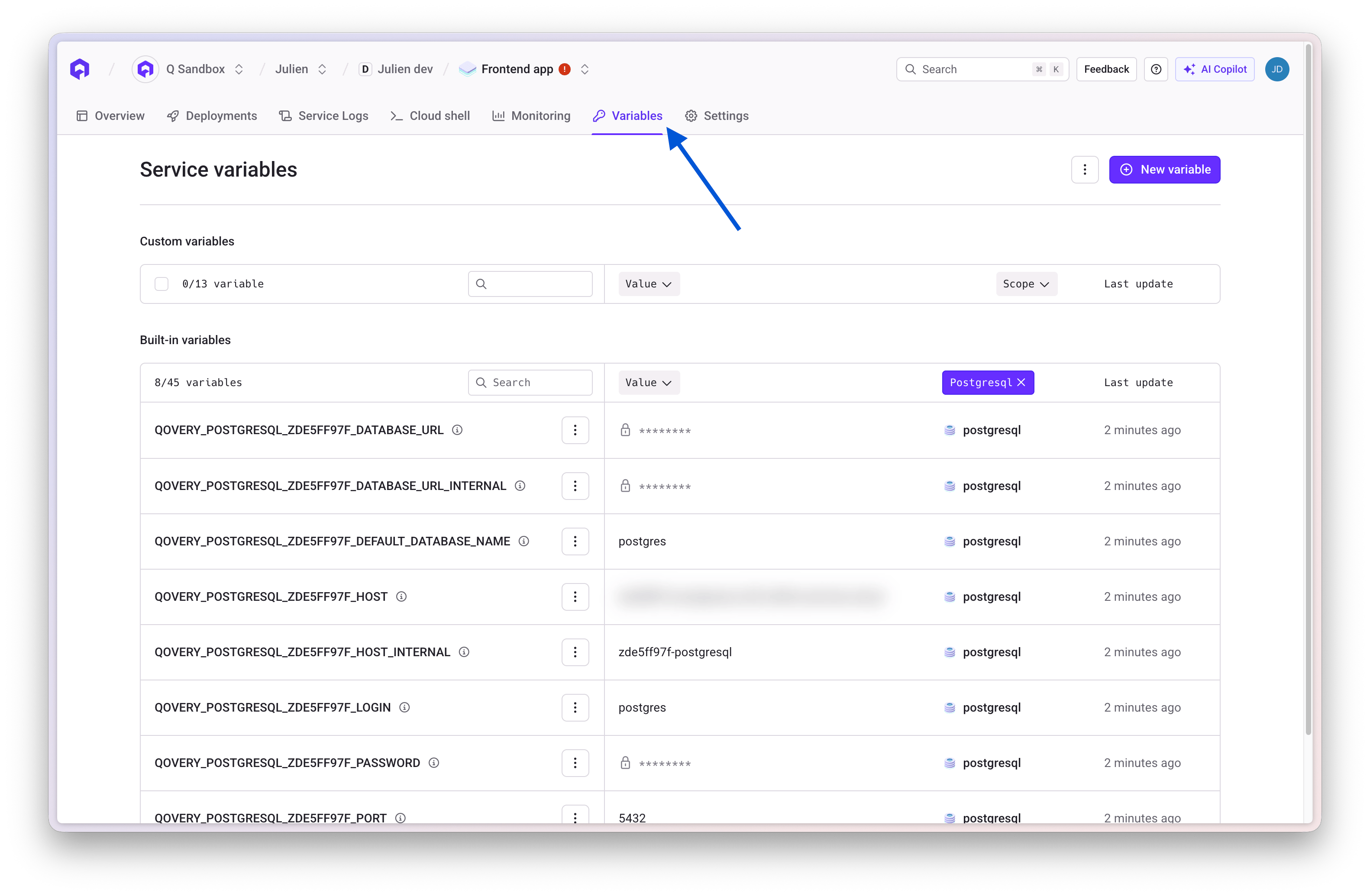
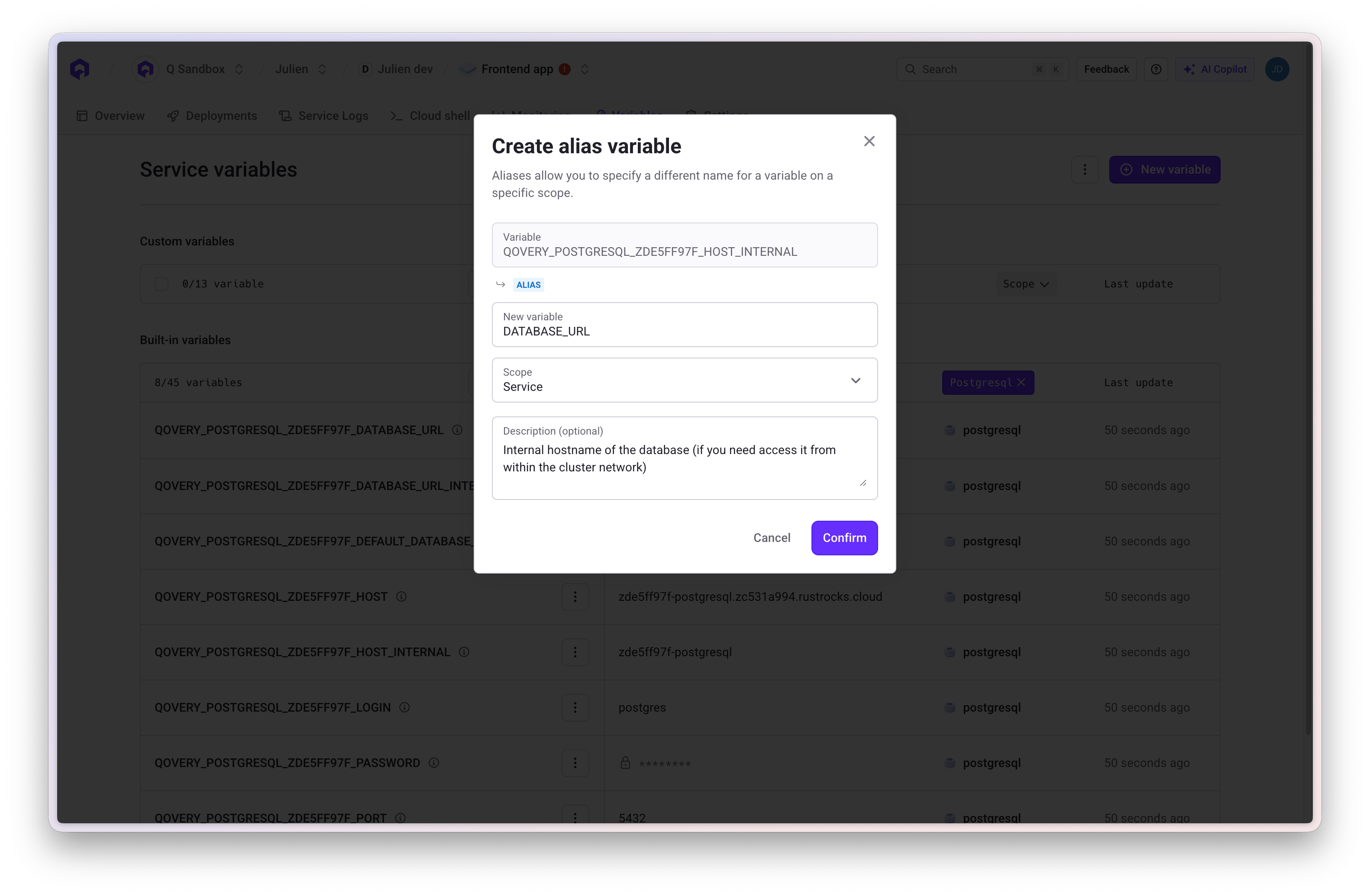
Configure Database Connection
- Access Variables tab in application overview
- Add environment variable
DATABASE_URL - Alias it to the PostgreSQL connection string
7
Deploy Application
Navigate to application dashboard and click Deploy button. Monitor status until completion.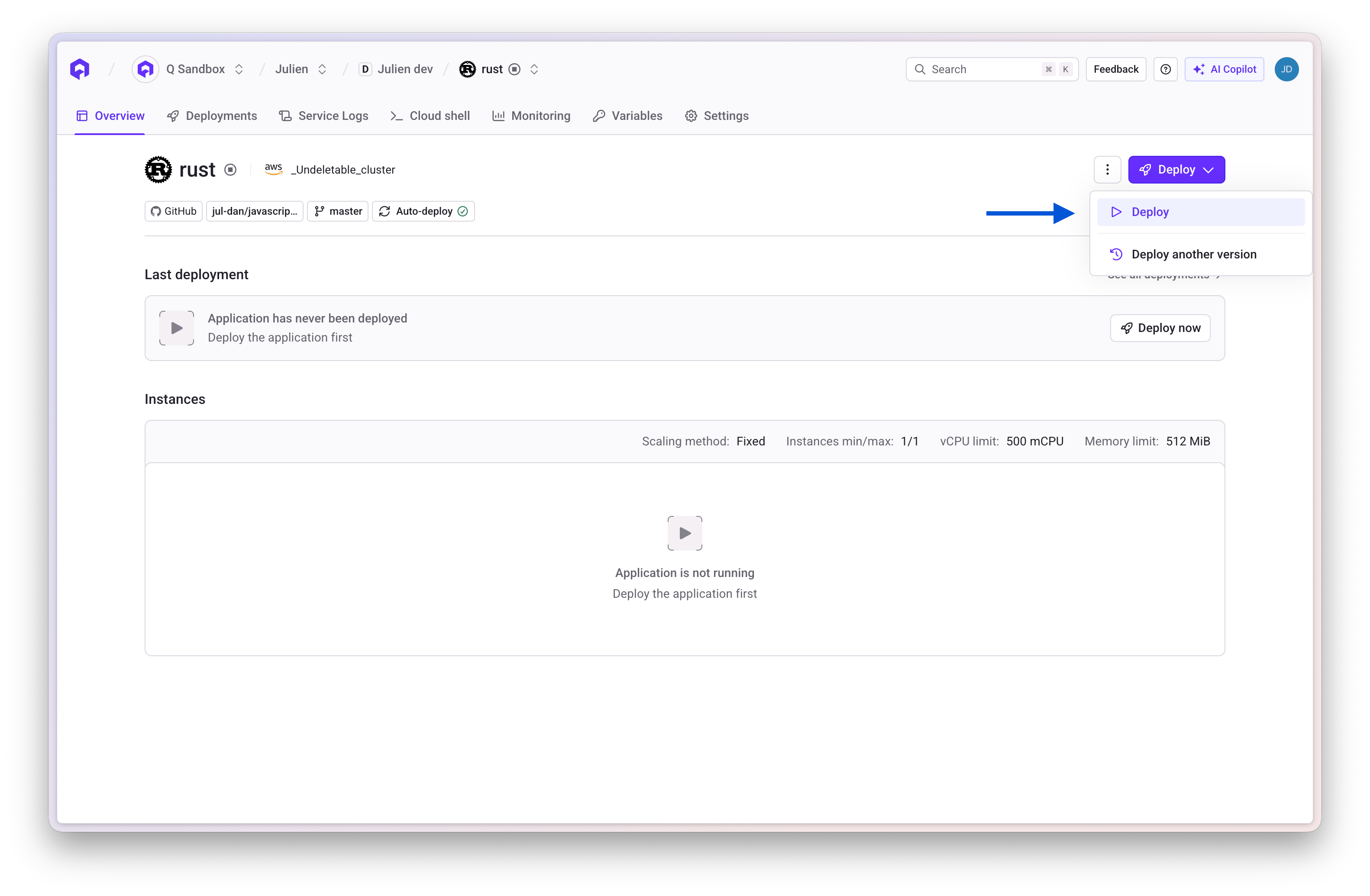
Live Testing
After deployment, test your production API:Next Steps
Part 2 will compare this Rust implementation’s performance against an equivalent Go application.Learning Resources
Rust Blog
Official Rust blog and updates
The Rust Book
Free comprehensive Rust programming guide
Jon Gjengset
MIT distributed systems and Rust live-coding

GitHub Repository
Complete source code for this tutorial
Related Documentation
Deploy Your First App
Step-by-step deployment guide
Database Configuration
Configure PostgreSQL databases
Environment Variables
Manage environment variables
Application Settings
Configure application settings