

Overview
Environment variables are key-value pairs that configure your applications at runtime. Qovery provides comprehensive variable management with support for secrets, multiple scopes, interpolation, and file-based variables.Variable Types
Qovery supports two types of environment variables:Key/Value Variables
Standard environment variables accessible in your application: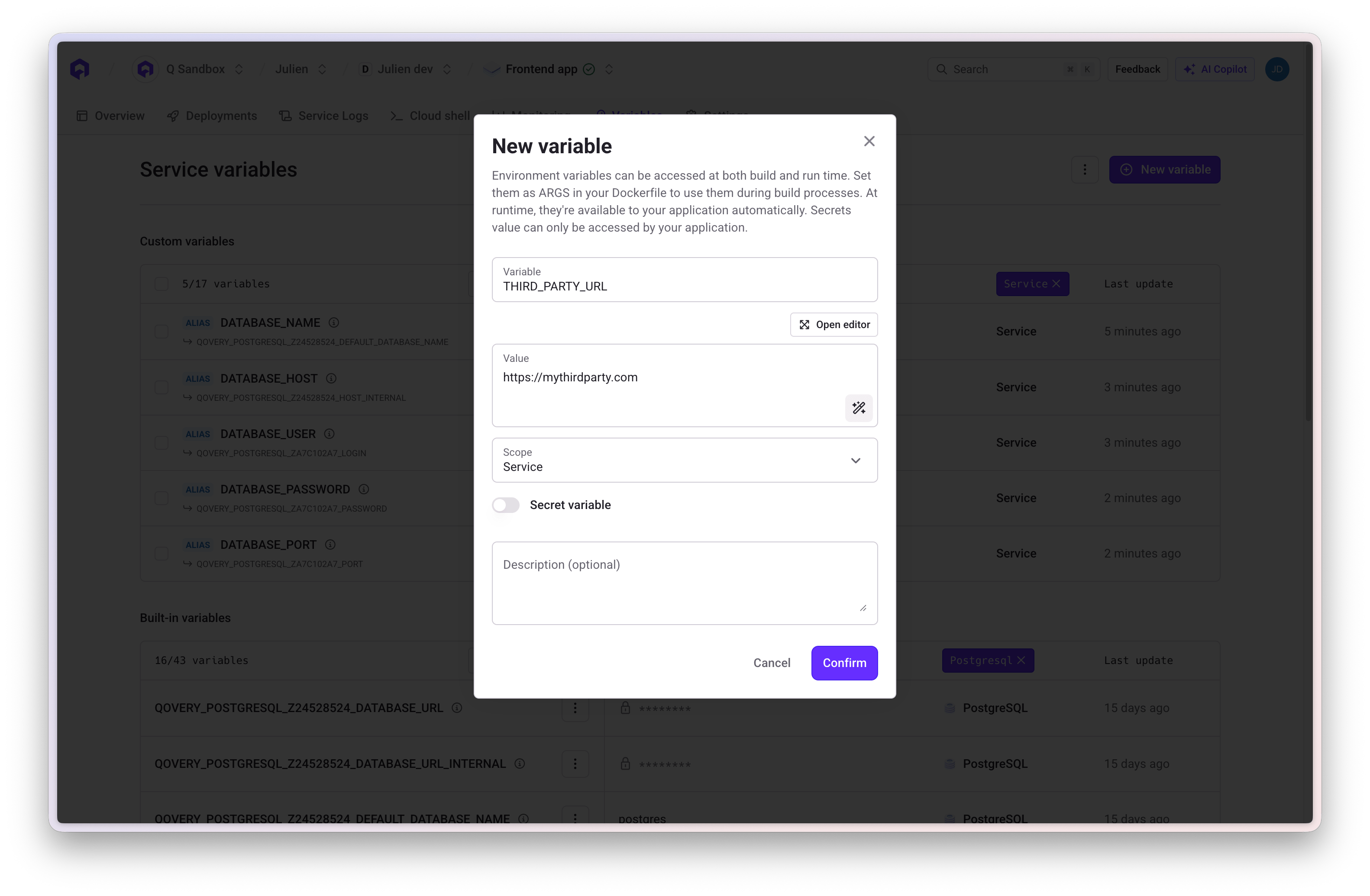
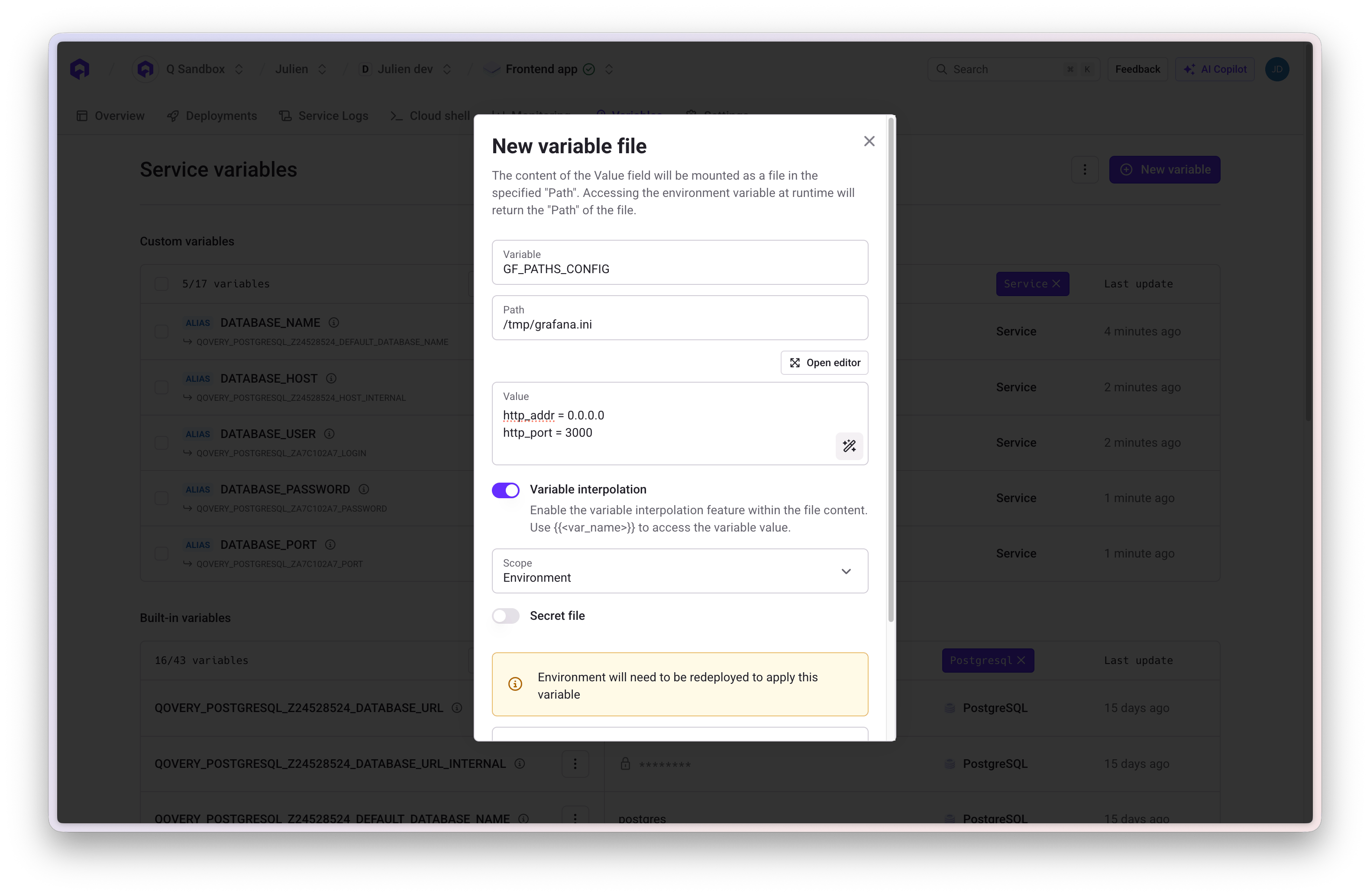
Variable as File
Store configuration files that are written to the filesystem at a specific path. The value is stored at the specified file path and accessible for applications or frameworks requiring file-based configuration. Configuration:- Key: Variable name
- Value: File content
- Path: Absolute path where file will be created (e.g.,
/etc/config/app.yaml)
Secrets
Secrets are encrypted variables for sensitive data. They are encrypted at rest and in transit, and cannot be retrieved through the API. When to Use Secrets:- Database passwords
- API keys and tokens
- OAuth credentials
- Private keys and certificates
- Any sensitive authentication data
External Secrets
External secrets let you inject values stored in a third-party secrets manager directly into your services as environment variables, without copying them into Qovery. The secret value is fetched from your provider at deployment time. Supported providers:- AWS Secrets Manager
- AWS Parameter Store
- GCP Secret Manager
- Your secrets are already managed centrally in a secrets manager
- You need fine-grained access control at the secrets manager level
- You want a single source of truth across multiple tools and teams
Configure Secret Manager Integration
Set up ESO and connect your cluster to AWS or GCP secrets providers
Variable Scopes
Environment variables can be defined at three different scopes:Project Scope
Available to: All environments and services within the project Use Cases: Organization-wide settings, shared API keys, common configurationEnvironment Scope
Available to: All services within a specific environment Use Cases: Environment-specific configuration, shared database credentials, feature flagsService Scope
Available to: One specific service (application, job, database, etc.) Use Cases: Service-specific configuration, application-unique settingsScope Hierarchy
Variables defined at narrower scopes override those at broader scopes:Built-in Variables
Qovery automatically injects built-in variables for service interconnection and system information.System Variables
Database Connection Variables
For each database, Qovery creates connection variables using the pattern:QOVERY_{DATABASE_TYPE}_{DATABASE_ID}_{PROPERTY}
Example - PostgreSQL Database “main-db”:
Application Connection Variables
Connect to other applications using the pattern:QOVERY_APPLICATION_{APP_ID}_{PROPERTY}
Built-in variables are read-only and automatically managed by Qovery. Variable names are generated from service names with underscores replacing hyphens and converted to uppercase.
Creating Variables
1
Navigate to Service
Select your application, job, or container from the environment
2
Open Variables Section
Click on Variables in the service menu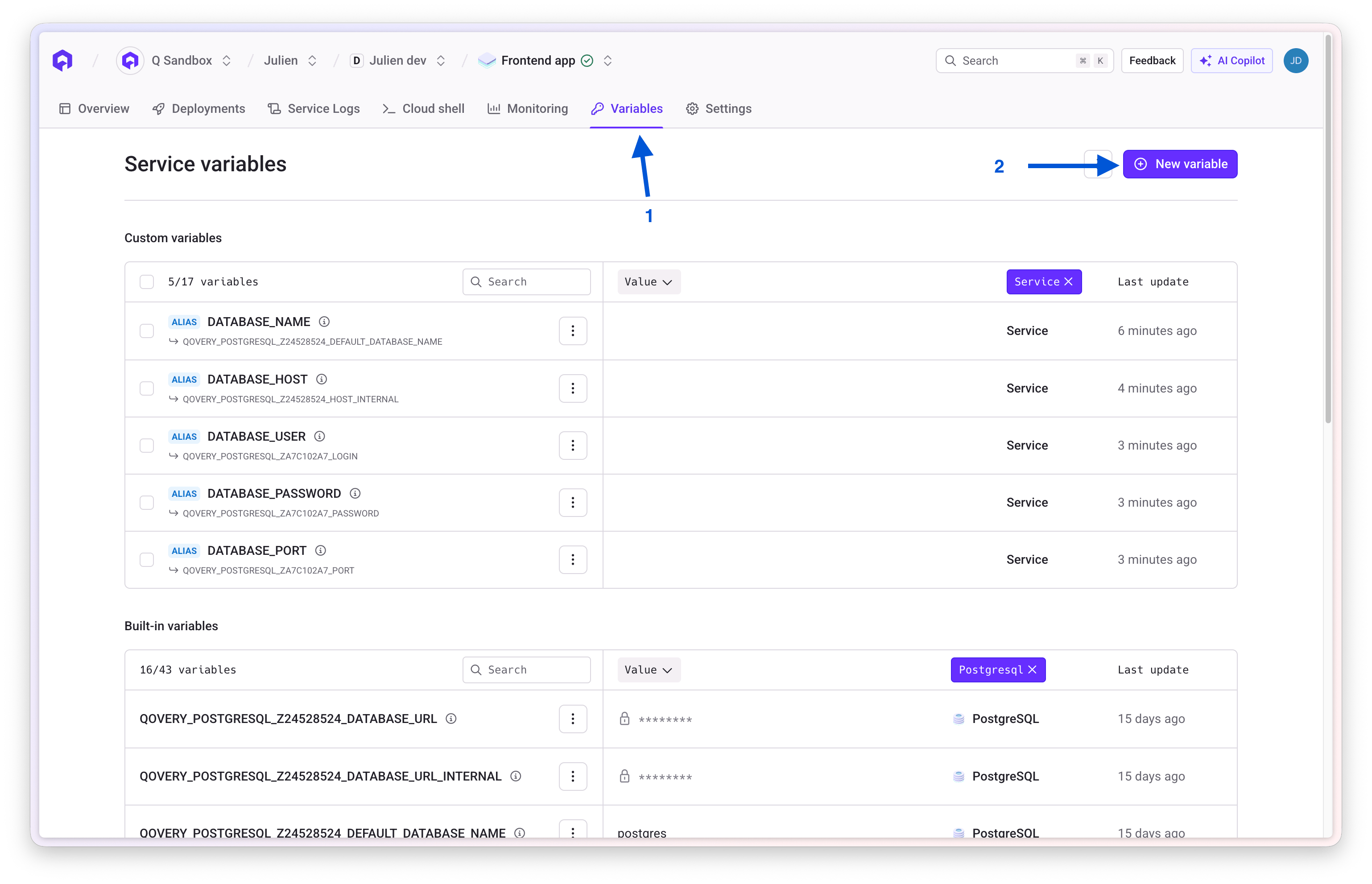
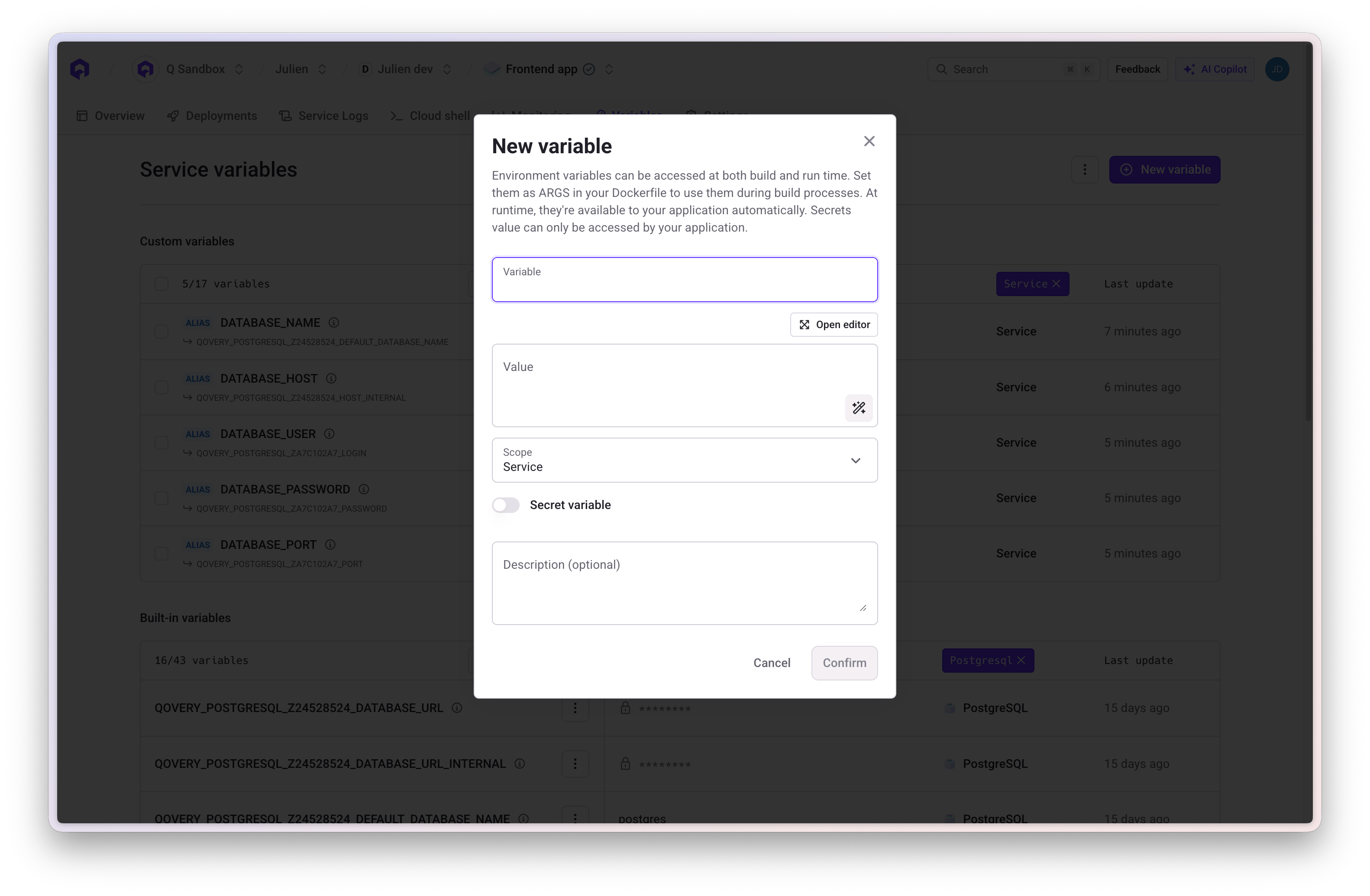
3
Add Variable
Click Add Variable and configure:
- Scope: Project, Environment, or Service level
- Key: Variable name
- Value: Variable value or file content
- Type: Variable or Secret
-
Variable Type: Standard or File (specify path if file)
4
Save and Redeploy
Save the variable and redeploy services to apply changes
Variable Naming Rules
Allowed:- Alphanumeric characters (A-Z, 0-9)
- Underscores (_)
- Must start with a letter
- Uppercase recommended
- Cannot start with
QOVERY_(reserved for built-in variables) - Cannot start with
__(double underscore) - No hyphens or special characters
- No spaces
Editing and Deleting Variables
Editing
- Locate variable in the Variables section
- Click edit icon
- Update value or settings
- Save and redeploy
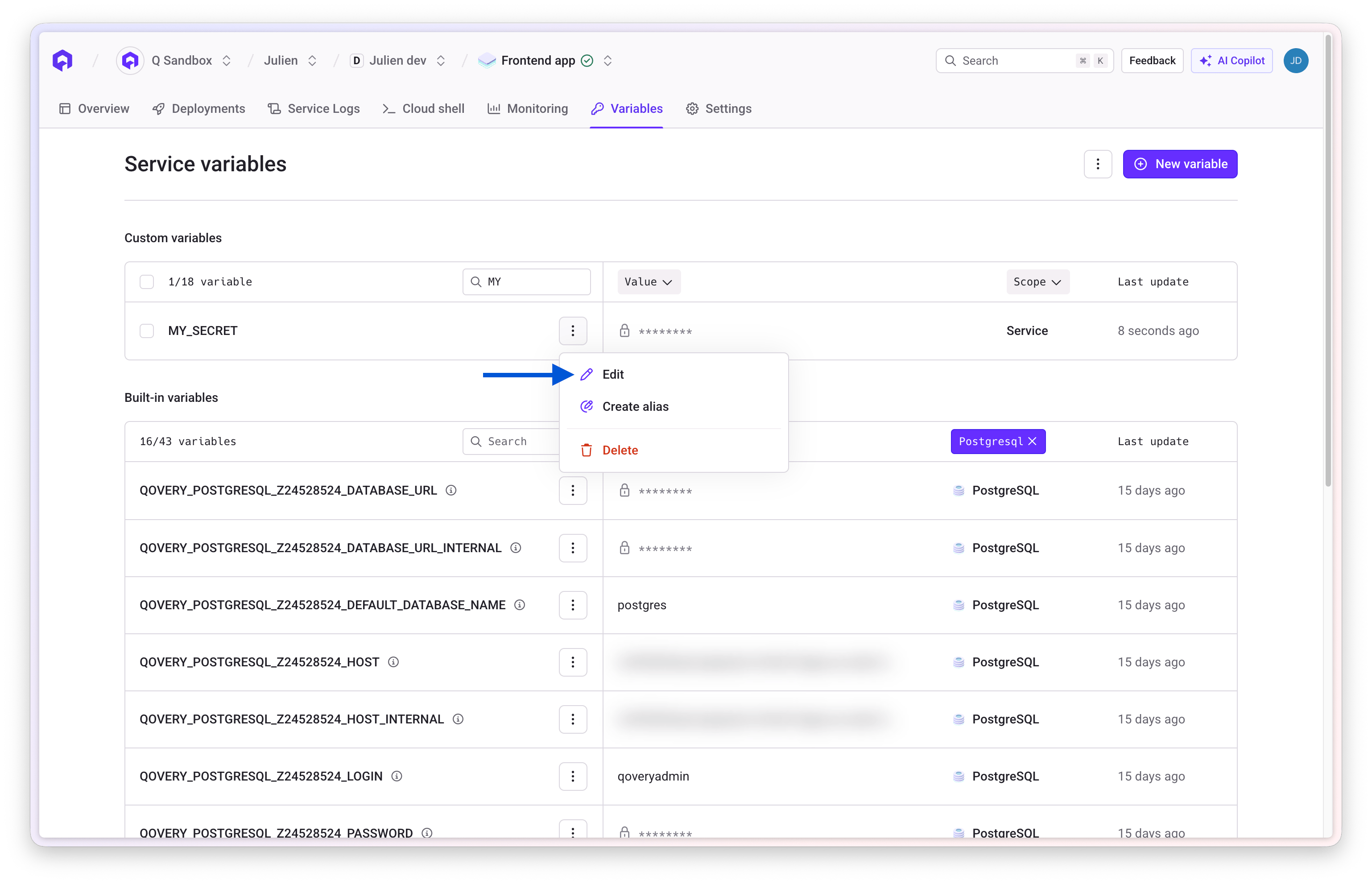
For secrets, you cannot view the current value. You can only set a new value for security reasons.
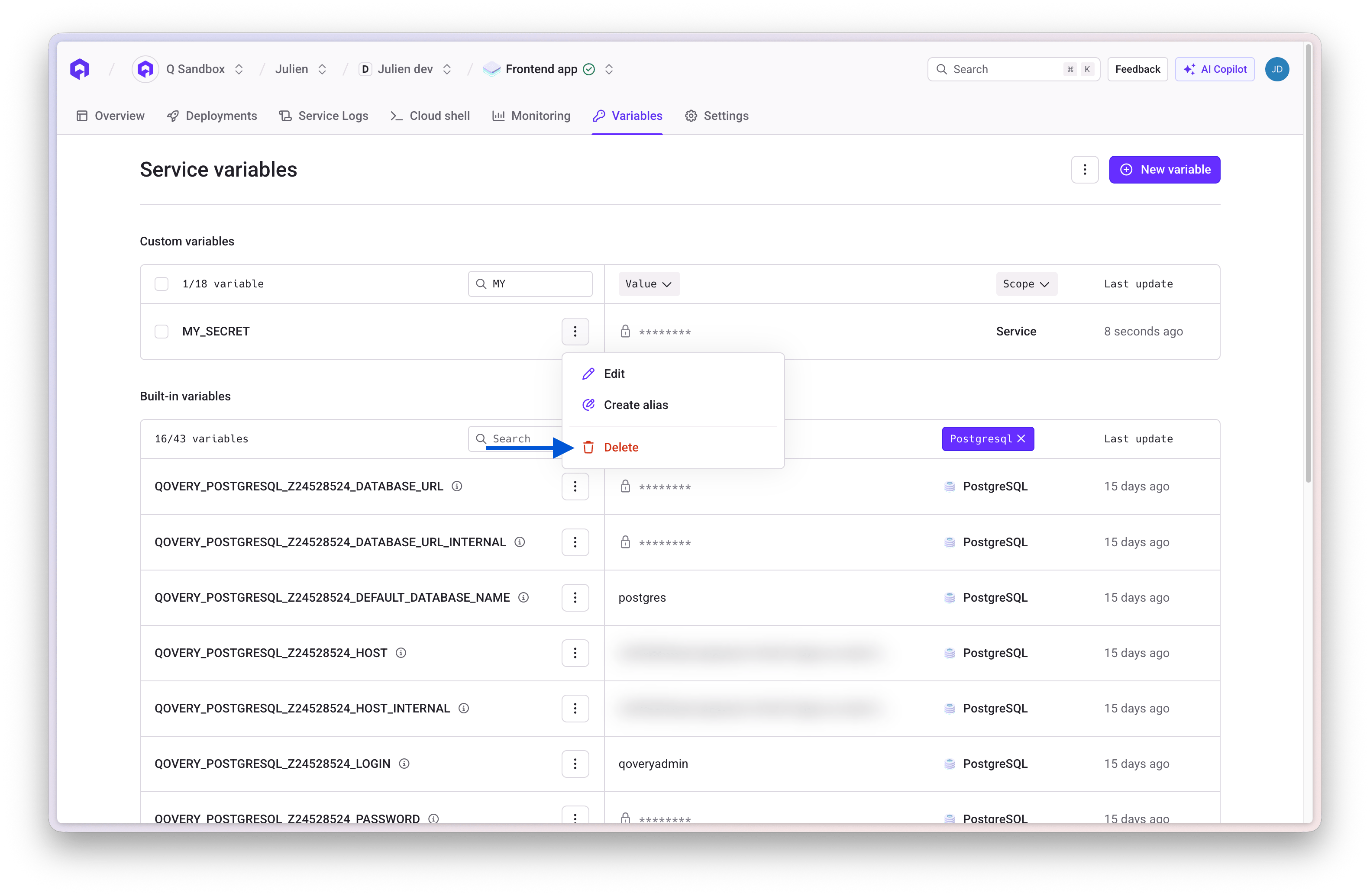
Deleting
- Select variable to remove
- Click delete icon and confirm
- Redeploy services
Variable Interpolation
Reference other variables within variable values using{{VARIABLE_NAME}} syntax.
Basic Interpolation
With Built-in Variables
Aliases
Create aliases to rename built-in variables to match your application’s expected variable names.Database Aliases
If your application expects specific variable names, create aliases: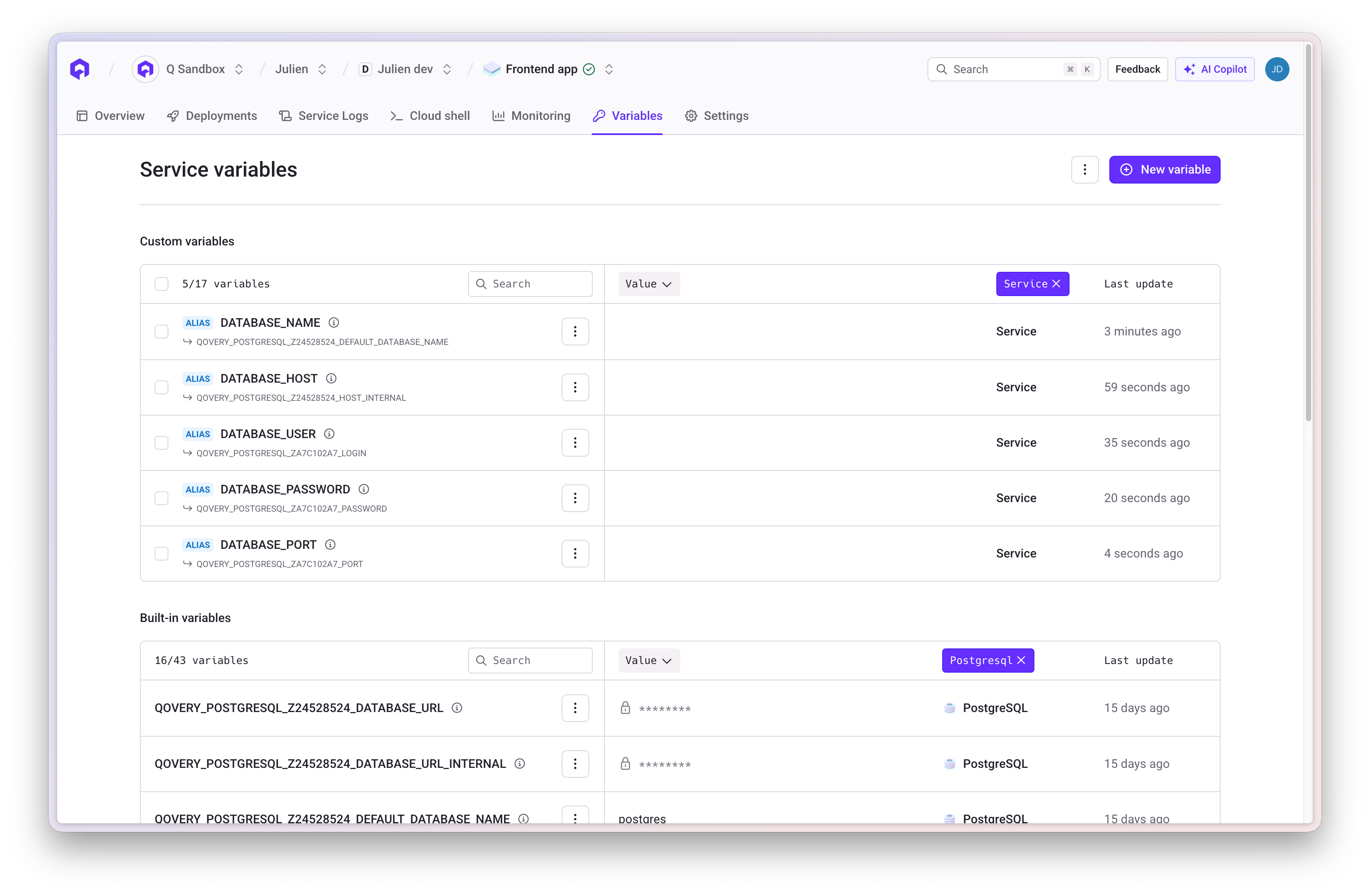
Application Host Aliases
Create friendly names for service communication: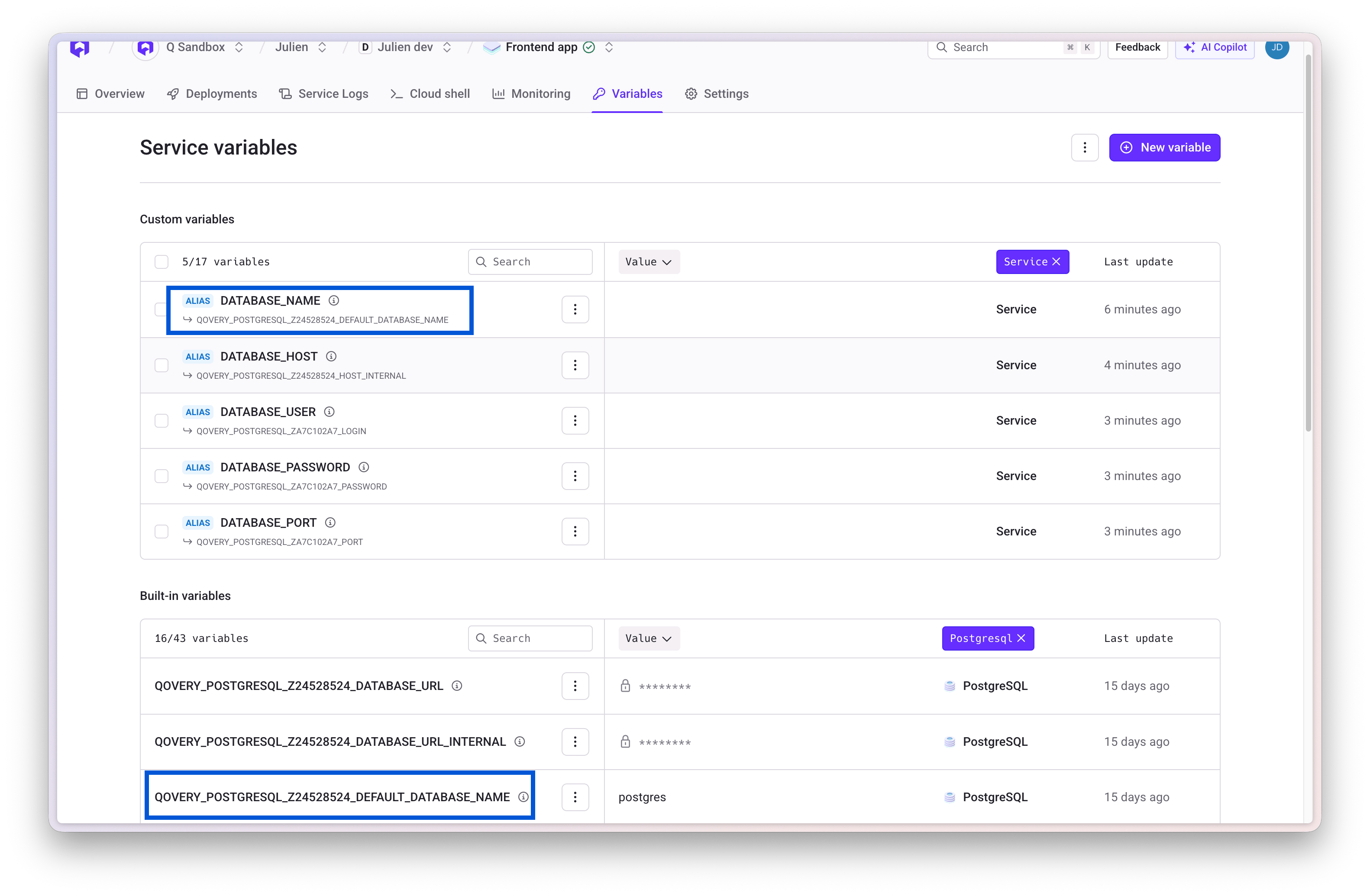
Overrides
When variables are defined at multiple scopes, narrower scopes override broader ones:Import and Export
Import and export variables in bulk using.env file format.
Exporting
- Open the Variables section
- Click Export to download as
.envfile - Secret values are exported as
***for security
Importing
1
Prepare .env File
Create a
.env file with key-value pairs:2
Import File
Click Import and select your
.env file3
Review Import
Qovery shows which variables will be:
- Created (new)
- Updated (existing)
- Skipped (conflicts)
4
Confirm
Review and confirm the import
- Cannot import built-in variables (starting with
QOVERY_) - Cannot overwrite existing secrets (must delete first)
- Cannot import variables with invalid names
Service Interconnection
Use environment variables to connect services within your environment.Database Connection
Application-to-Application Communication
Best Practices
- Security: Always mark sensitive data as secrets
- Naming: Use UPPER_CASE_WITH_UNDERSCORES and descriptive names
- Organization: Use appropriate scopes (Project for shared, Environment for env-specific, Service for unique)
- Rotation: Periodically rotate sensitive credentials
- Documentation: Document variable purposes and expected values
- Cleanup: Remove unused variables regularly
Related Resources
Applications
Configure applications with environment variables
Databases
Connect databases using built-in variables
Deploy Application
Deploy with configured variables
Connect Database
Use environment variables for database connections