

Overview
A project allows you to group together a set of environments with the objective to run the same application. Projects are automatically created when you create a new organization and support role-based access control through Qovery’s RBAC system.Prerequisites
- An existing organization in Qovery
Create a New Project
1
Open Organization Overview
Go to your organization overview in the Qovery Console
2
Create Project
Click the New Project button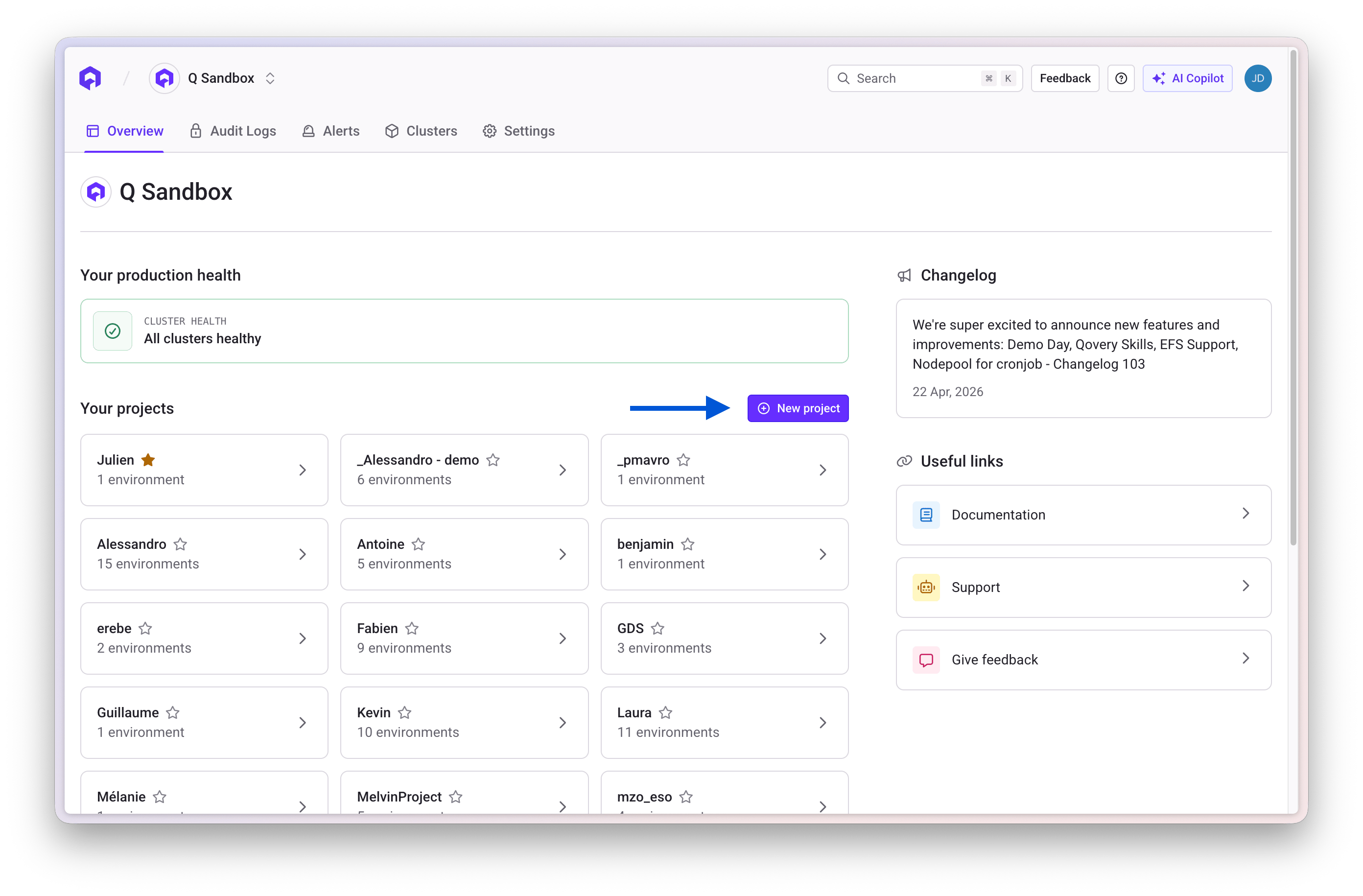
3
Configure Project
Enter the following information:
- Name: A descriptive name for your project
- Description: (Optional) Brief description of the project’s purpose
4
Save
Click Create to finalize the project creation
Edit Project General Information
To update project details:1
Access Settings
Open the project settings page
2
Select Project
Choose the project you want to edit
3
Open General Section
Navigate to the GENERAL section
4
Update and Save
Modify the name or description and save your changes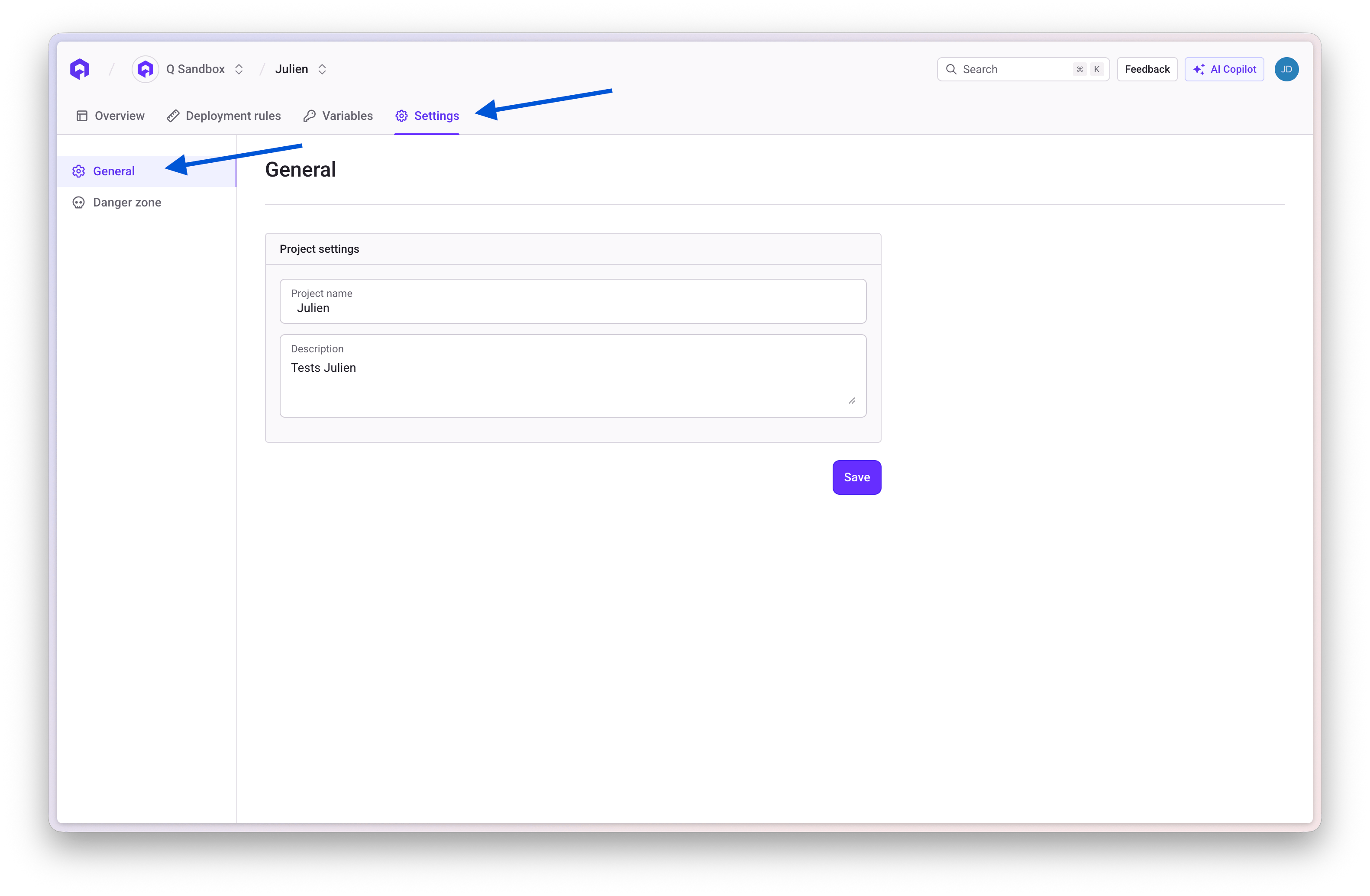
Delete a Project
To delete a project:1
Access Project Settings
Open the project settings page
2
Select Project
Choose the project you want to delete
3
Navigate to Danger Zone
Go to the DANGER section
4
Delete Project
Click the Delete Project button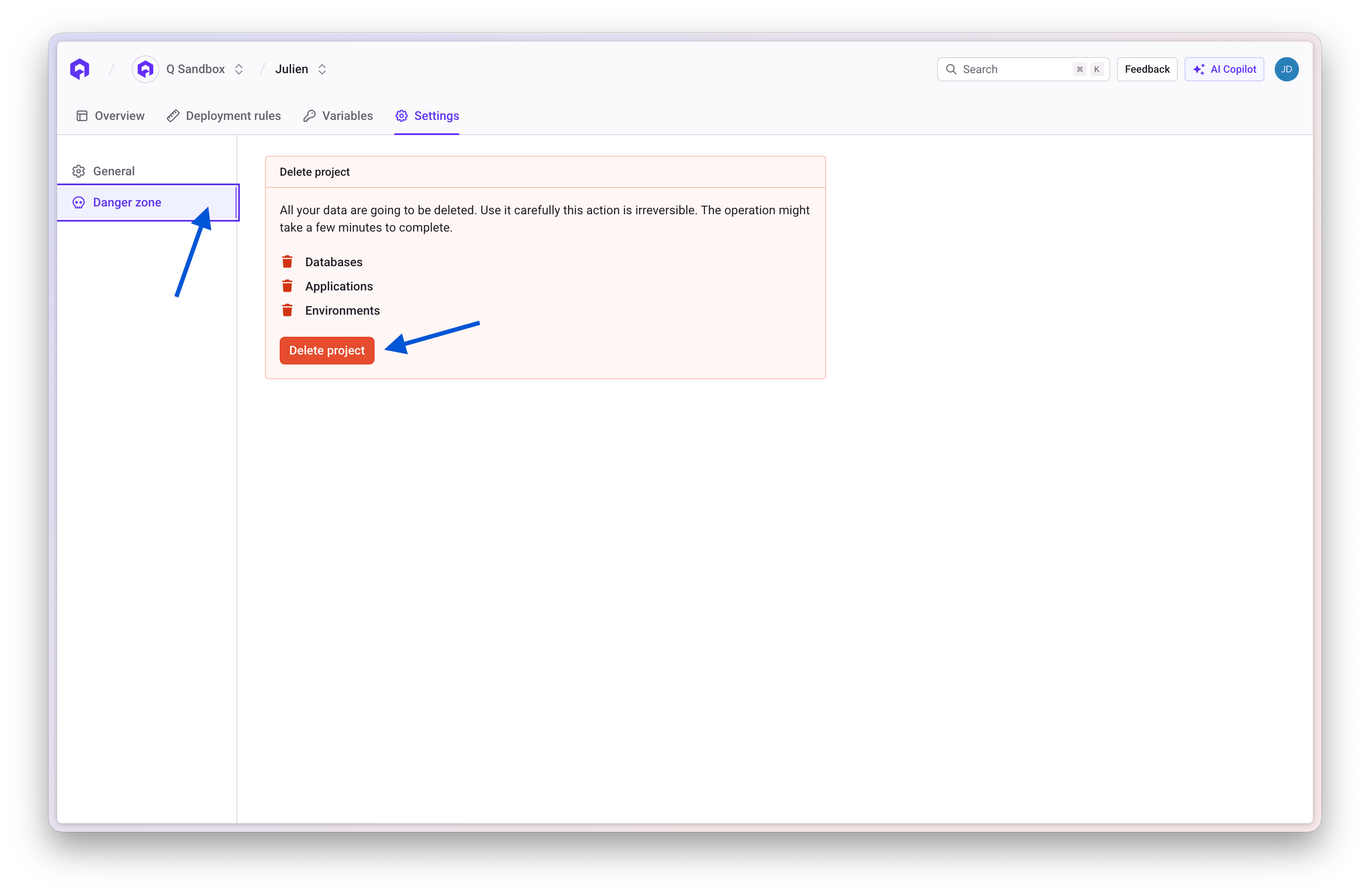
5
Confirm Deletion
Type the project name to confirm and complete the deletion
Related Topics
Organization
Learn about organization configuration
Environment
Configure environments within projects
Members & RBAC
Manage access control for projects
CLI: Project Commands
Manage projects using the Qovery CLI