

Benefits
Cost Optimization
Reduce your cloud costs up to 60% by using Deployment Rules through intelligent resource management during off-peak hours. Example: Automatically stop development environments outside business hours (nights and weekends) to eliminate unnecessary compute costs.Time Savings
Automating environment lifecycle management eliminates manual configuration tasks, freeing developers to focus on core work. Example: Set rules once and let Qovery automatically start environments Monday morning and stop them Friday evening.Use Cases
Shutting Down Environments
Stop development instances during non-working hours and weekends to eliminate unnecessary expenses. Common scenarios:- Stop dev/staging environments after 7 PM and restart at 8 AM
- Shut down all preview environments on weekends
- Pause ephemeral test environments after CI/CD runs complete
Multi-Provider Strategy
Deploy development workloads to budget-friendly cloud providers while maintaining production on premium services. Example: Run development on Scaleway (cost-effective) while keeping production on AWS (premium features).Configuration Levels
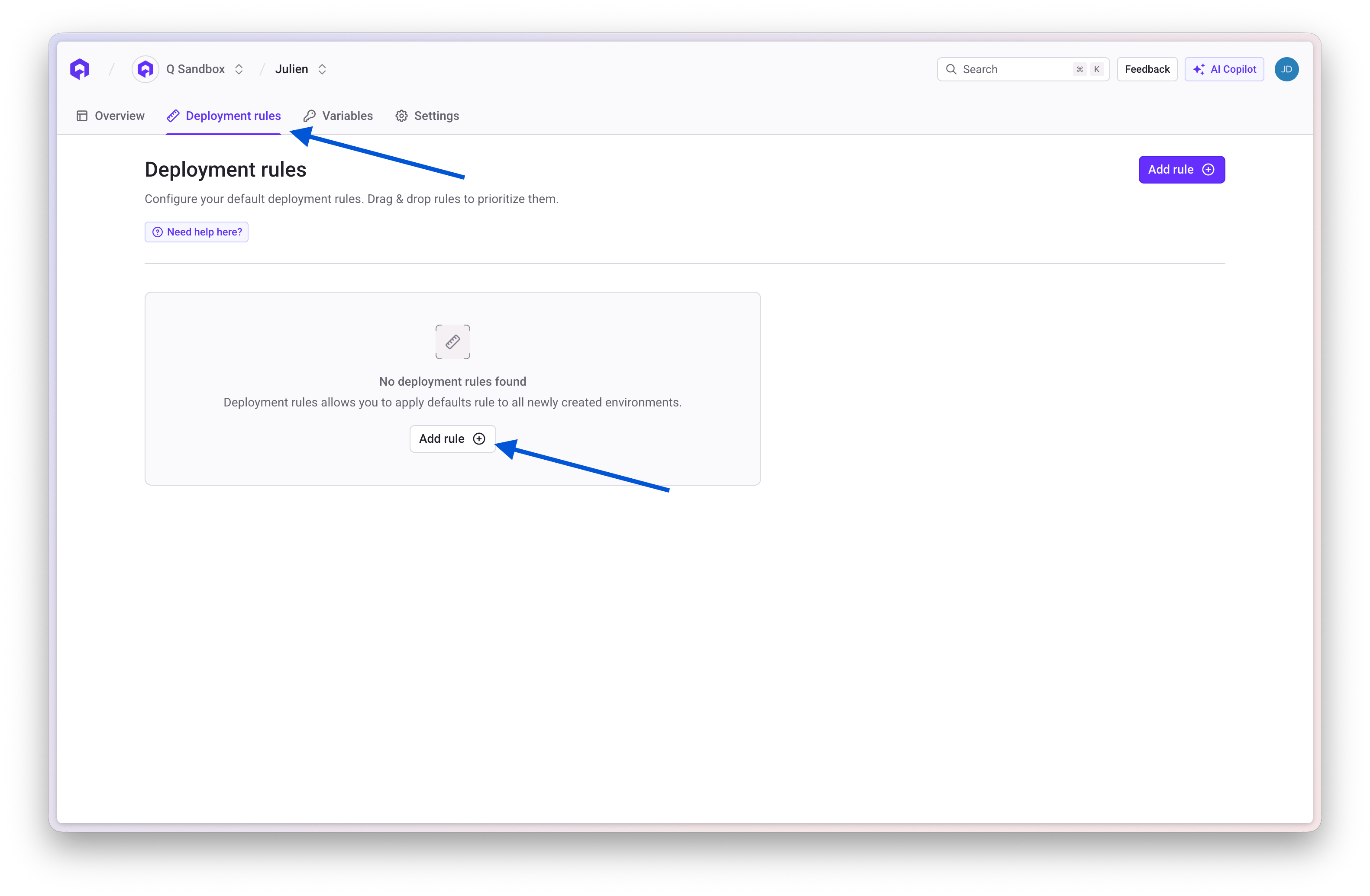
Rules can be established at two hierarchical levels:Project Level
- Provides defaults automatically applied to newly created environments
- Ensures consistent policies across all environments in a project
- Can be overridden by environment-specific rules
Environment Level
- Allows overriding project-level rules for specific environments
- Gives fine-grained control for exceptions (e.g., keep staging running 24/7)
- Takes precedence over project-level rules
Wildcard Patterns
Environment targeting supports wildcard patterns for flexible matching:
Examples:
Rule Configuration Options
General Settings
- Target Cluster: Specify which Kubernetes cluster the environment should deploy to
- Environment Type: Set production, staging, or development classification
- Wildcard Pattern: Define which environments this rule applies to
Start & Stop Controls
Define precise scheduling for deployment and teardown operations:- Auto-start: Schedule when environments should automatically start
- Auto-stop: Schedule when environments should automatically shut down
- Timezone: Set timezone for start/stop schedules
- Days of week: Choose which days the rule applies
Priority Management
Multiple applicable rules follow a priority stack—rules are evaluated top-to-bottom, with highest-priority rules evaluated first.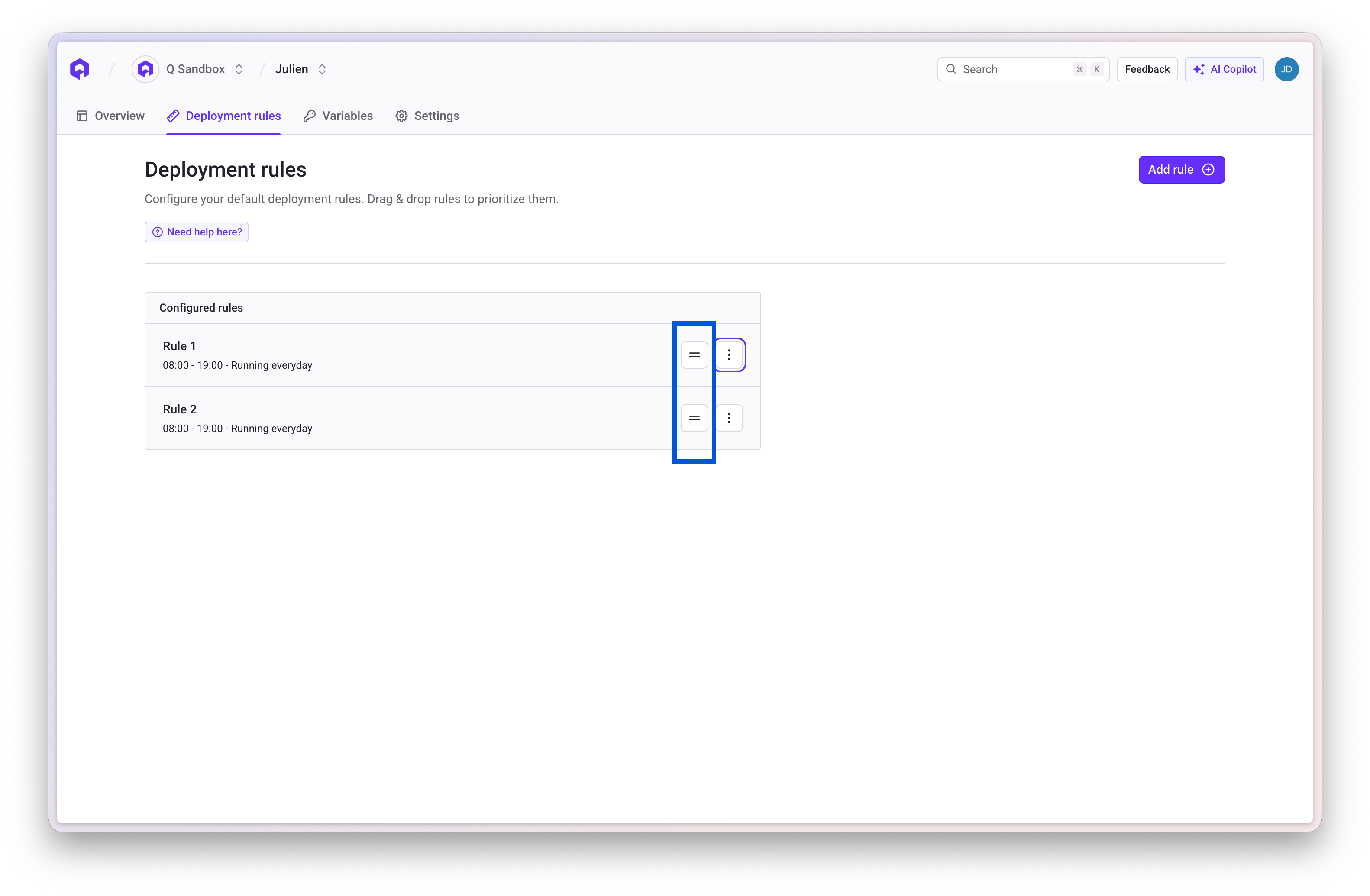
- When an environment matches multiple rules, Qovery checks from top to bottom
- The first matching rule is applied
- Lower priority rules are ignored if a higher priority rule matches
prod-apimatches Priority 1 → Never stopsstaging-webmatches Priority 2 → Stops on weekendsdev-testmatches Priority 3 → Stops every night
Best Practices
Start with specific rules first
Start with specific rules first
Place specific rules (like production exceptions) at the top, followed by broader rules. This ensures critical environments aren’t accidentally matched by catch-all rules.
Use preview environment wildcards
Use preview environment wildcards
Use
[PR]* patterns to automatically manage all preview environments created from pull requests without manual configuration.Test rules on non-critical environments first
Test rules on non-critical environments first
Before applying rules to production-like environments, test them on development environments to ensure they work as expected.
Document your rules
Document your rules
Add clear descriptions to each rule explaining its purpose, especially for team environments where multiple people manage infrastructure.
Review rules regularly
Review rules regularly
As your infrastructure evolves, periodically review and update deployment rules to ensure they still match your needs.
Examples
Example 1: Cost-Saving Development Rule
Scenario: Stop all development environments outside business hoursExample 2: Preview Environment Cleanup
Scenario: Automatically stop all PR preview environments overnightExample 3: Multi-Region Production
Scenario: Deploy production to high-performance cluster, staging to cost-effective clusterNext Steps
Environment Configuration
Learn more about environment settings
Project Configuration
Configure project-level settings
Deployment Pipeline
Understand deployment workflows
Auto-Deploy
Set up automatic deployments